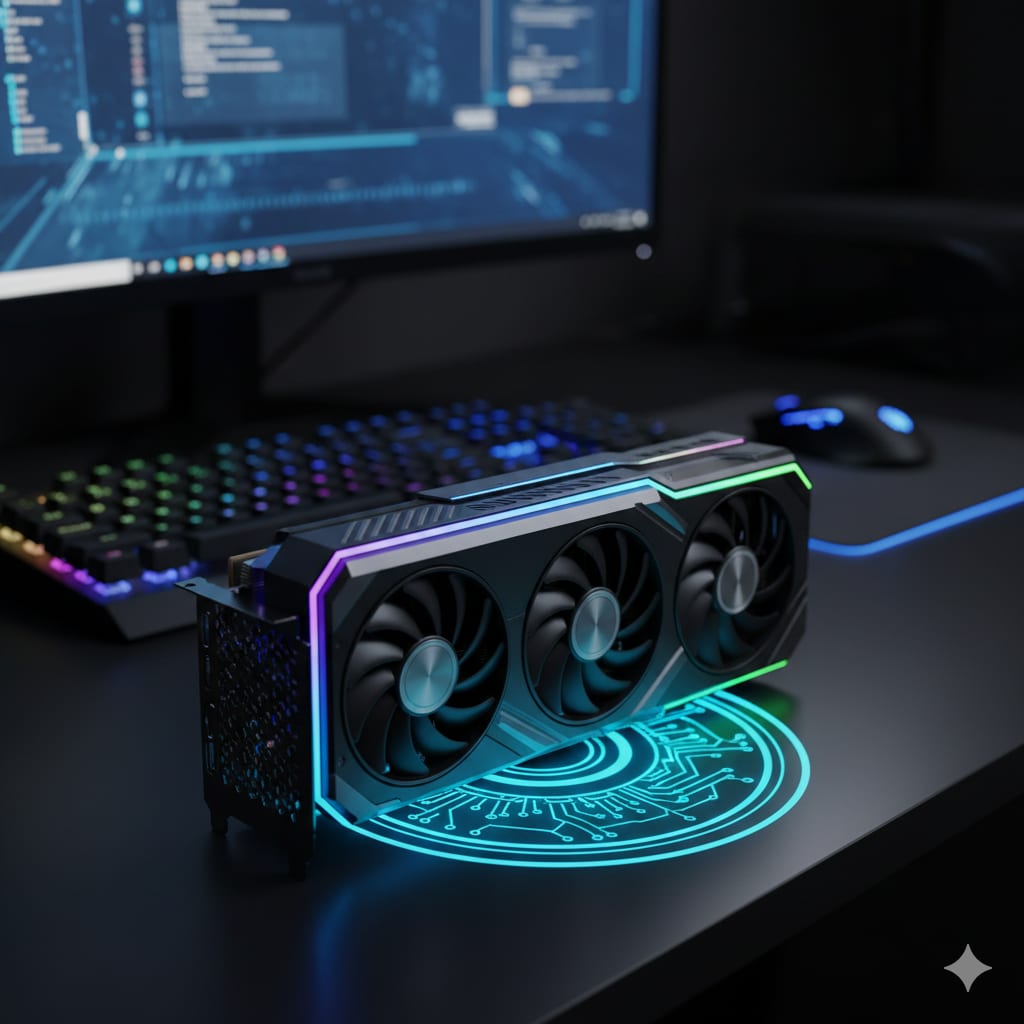
RTX 5070 Ti Review: The Best 1440p Graphics Card You Can Buy New
GPU PRIX Editorial • 2026-02-01 • Last updated: 2026-07-28
VRAM
16 GB
GDDR7
Power
300W
TDP
Value Score
Extreme Value
MSRP
$1,071 CAD (est.)
At Launch
Market Intelligence
Essential Buy
The Upside
- •16GB of GDDR7 on a 256-bit bus — 896 GB/s, the widest memory pipe at this price tier
- •Full DLSS 4 feature set, including Multi Frame Generation (50-series exclusive)
- •Comfortably maxes out 1440p in current AAA titles, with headroom for high-refresh displays
- •Lower rated board power than the Ada cards it replaces, on a modern PCIe 5.0 platform
The Downside
- •Rasterization is roughly level with the outgoing RTX 4080 SUPER — and slightly behind it in some titles
- •Priced well above what the '70 Ti' tier historically cost
- •300W TDP and a 16-pin connector mean a competent PSU is non-negotiable
- •Native path tracing still needs upscaling and frame generation to feel smooth
The Card That Owns 1440p
There is a specific buyer this card exists for: someone with a 1440p monitor — probably 144Hz or faster — who wants to set the graphics preset to Ultra, turn ray tracing on, and stop thinking about it for the next three or four years.
For that buyer, the GeForce RTX 5070 Ti is the default answer among new cards. Not because it is the fastest GPU you can buy, but because it is the cheapest one where 1440p stops being a negotiation. Below it you manage VRAM and settings. Above it you are paying for 4K headroom you do not have a monitor for.
This review is about whether that framing survives contact with the spec sheet, and where the card's limits actually sit.
TL;DR — At a Glance
- 16GB of GDDR7 on a 256-bit bus delivers 896 GB/s — more memory bandwidth than the RTX 4080 SUPER it effectively replaces, and the single most future-proof thing about the card.
- Rasterization is not the story. The 5070 Ti lands roughly level with the 4080 SUPER in traditional rendering, and slightly behind it in some titles. The generational gain is in memory, features and efficiency, not raw shader throughput.
- DLSS 4 Multi Frame Generation is the 50-series exclusive. DLSS 4's transformer upscaling shipped to older RTX cards; the multi-frame path did not.
- Path tracing is playable, not free. Expect to run upscaling, and expect frame generation to do a lot of the heavy lifting in the heaviest titles.
- 4K works with upscaling. It is a genuine 4K card in most games with DLSS on. It is not a native-4K-maxed-out card.
- 300W and a 16-pin connector. Budget a quality 750W PSU.
1. Where It Sits in the Stack
NVIDIA's Blackwell lineup has a clear shape, and the 5070 Ti occupies the widest part of it.
| Card | VRAM | Bus | Bandwidth | Shader units | TDP |
|---|---|---|---|---|---|
| RTX 5070 | 12GB GDDR7 | 192-bit | 672 GB/s | 6,144 | 250W |
| RTX 5070 Ti | 16GB GDDR7 | 256-bit | 896 GB/s | 8,960 | 300W |
| RTX 5080 | 16GB GDDR7 | 256-bit | 960 GB/s | 10,752 | 360W |
| RTX 4080 SUPER | 16GB GDDR6X | 256-bit | 736 GB/s | 10,240 | 320W |
Two things jump out of that table.
The gap below is bigger than the gap above. Going from the 5070 to the 5070 Ti buys you 4GB of VRAM, a third more memory bandwidth and roughly 46% more shader units. Going from the 5070 Ti to the 5080 buys you 20% more shader units on the same 16GB memory budget. The 5070 Ti is where the step function is, which is exactly what makes it the value inflection point rather than a mid-stack filler part.
The 5070 Ti is not a shader-count upgrade over Ada's high end. It has fewer shader units than the RTX 4080 SUPER, and fewer than the original RTX 4080's 9,728. What it has instead is faster memory, a newer feature set and lower power draw. If you came here expecting a card that leaves the previous generation's $999 part behind in raw rendering, that is not what this is — and any review that tells you otherwise is selling something.
2. What Blackwell Actually Changes
Three changes matter in practice. The rest is marketing.
GDDR7. This is the headline. GDDR7 runs at 28 Gbps per pin here against GDDR6X's 22–23 Gbps on the equivalent Ada cards, and it does so at better power efficiency. On a 256-bit bus that works out to 896 GB/s. Bandwidth is not a number you feel directly in a frame rate counter — it is the thing that stops mattering because there is enough of it. At 1440p with ray tracing and high-resolution textures, having more of it than the previous generation's flagship tier is the reason this card should age well.
DLSS 4 Multi Frame Generation. DLSS 4's transformer-based upscaling and Ray Reconstruction models shipped to every RTX generation, so a 40-series owner already got the image-quality half of DLSS 4. What did not ship backwards is Multi Frame Generation, which generates multiple interpolated frames between rendered ones. That is genuinely 50-series-only, and it is the largest functional gap between this card and a used Ada part.
It is also the feature most worth understanding before you buy on it. Frame generation raises the number on your frame counter without raising the rate at which the game samples your input — the pipeline holds a rendered frame back in order to interpolate. NVIDIA Reflex exists to claw that latency back and you should have it on, but frame generation is a smoothness feature, not a responsiveness one. It works best when your base frame rate is already decent and you want to fill a high-refresh monitor. It works worst as a rescue for a game that is already stuttering.
PCIe 5.0 and a 300W board power. The 5070 Ti draws less rated power than the 4080 (320W) and 4080 SUPER (320W) while performing in the same neighbourhood. That is a real generational efficiency gain, and it shows up in a smaller cooler, a quieter card and a lower load on your PSU.
3. 1440p: Why This Is the Tier
1440p is not one workload. It is three, and the 5070 Ti handles them differently.
Rasterized AAA at Ultra. This is the easy case. The card has more shader throughput than any 1440p rasterized workload currently demands, and 16GB means texture settings are a preference rather than a constraint. High-refresh 1440p monitors are the reason to buy at this tier rather than one below it — the 5070 Ti has the headroom to actually feed a 165Hz or 240Hz panel in most titles.
Ray tracing on. Standard ray-traced reflections, shadows and global illumination at 1440p are comfortably within this card's range with DLSS Quality enabled. This is the configuration most buyers will actually run, and it is where the card feels like the tier above its price.
Path tracing. Full path tracing — the mode in Cyberpunk 2077's RT Overdrive, Alan Wake II and Black Myth: Wukong — is a different class of load. The 5070 Ti can run it at 1440p, but running it means enabling DLSS upscaling and, in the heaviest scenes, frame generation as well. Anyone describing path tracing on a card at this tier as "maxed out with headroom" is describing an upscaled, frame-generated image, not a native one. That is a completely legitimate way to play — it is how essentially everyone plays path-traced games — but it should be stated rather than glossed over.
The VRAM point: 16GB is what separates this card from the 5070 below it, and it is the specification most likely to still matter in 2029. Path tracing carries a memory cost that settings menus never surface — acceleration structures and denoiser history buffers scale with scene complexity, not resolution — and 12GB cards feel that first.
4. 4K: Honest Expectations
The 5070 Ti is a capable 4K card, with two asterisks.
The first is upscaling. At 4K with DLSS Quality or Balanced, this card runs the large majority of modern AAA titles at high or ultra settings comfortably. That is a real 4K experience and DLSS 4's transformer model makes it a visually excellent one. What it is not is native 4K at maximum settings in the heaviest games — for that, the 5080 and 5090 exist, and the gap is real.
The second is that 16GB at 4K is adequate rather than generous. It is fine today. It is the specification most likely to become the limiting factor first if you are running 4K with path tracing and high-resolution texture packs several years from now. At 1440p that concern effectively disappears.
If 4K is your primary resolution rather than an occasional one, the honest recommendation is to look one tier up. If 1440p is your primary resolution and 4K is what happens when you plug into the living-room TV, this card covers both.
5. The Competition
Four cards realistically contest this purchase.
| Alternative | The case for it | The case against it |
|---|---|---|
| RTX 5070 (12GB) | Meaningfully cheaper, same GDDR7 generation, same DLSS 4 feature set including Multi Frame Generation. | 12GB and a 192-bit bus. Fine at 1440p today; the first thing to constrain you later. Buy it if your monitor is 1440p/60–144Hz and budget is the binding constraint. |
| RTX 5080 (16GB) | Roughly 20% more shader units, more bandwidth, real native-4K ambitions. | Same 16GB memory budget, substantially higher price and 360W. You are buying resolution headroom, not fixing a 1440p problem. |
| Radeon RX 9070 XT (16GB) | Excellent rasterization value, 16GB, much-improved AV1 encode, lower MSRP. | Ray tracing and especially path tracing is where RDNA 4 gives up the most ground, and there is no Multi Frame Generation equivalent. If RT is incidental to you, this is a serious value pick. If path tracing is the point of the build, it is not. |
| Used RTX 4080 / 4080 SUPER (16GB) | Same 16GB, comparable or slightly better rasterization, DLSS 4 upscaling and Ray Reconstruction included. | No Multi Frame Generation, less memory bandwidth, higher power draw, and no warranty. Whether it wins comes down entirely to the price gap on the day. |
That last row is the genuinely interesting one, and it deserves more than a table cell — see the cross-links below.
6. Power, Platform and Practicalities
PSU. NVIDIA rates the card at 300W. A quality 750W unit is the safe recommendation — it absorbs transient spikes without tripping over-current protection, and it leaves room for a modern high-core-count CPU. A 700W unit works with an efficient CPU and a reputable PSU, but 750W is the number to buy if you are choosing one today.
Connector. Use a native 12V-2x6 cable from a modern PSU where you can, or the bundled adapter where you cannot. Seat it fully — the connector should click, and the retention clip should be flush. This is the single most common installation error on 16-pin cards and it is entirely avoidable.
Case. Board partner designs vary considerably in length and thickness. A 300W card is not a 450W card, but it still wants front-to-back airflow. Check the specific model's dimensions against your case before ordering.
CPU. At 1440p Ultra this card is generally the limiting component rather than a modern mid-range CPU, which is the position you want to be in. If you are pairing it with something several generations old and playing CPU-heavy simulation or strategy titles, expect the CPU to be your ceiling rather than the GPU.
7. Related Reading
Three adjacent questions come up constantly around this card, and each has its own deep dive.
If you stream what you play, the calculus changes in a way most reviews skip entirely. Encoding barely costs you frames on modern hardware, but it does cost VRAM — and Multi Frame Generation, the 5070 Ti's marquee feature, largely does not reach your viewers because your stream output is capped well below what the card presents. Best GPU for Path Tracing While Streaming works through the VRAM budget and the settings that actually decide stream quality.
If a used RTX 4080 is on your shortlist — and it should be, because it is the closest thing to a direct substitute at a lower price — the trade is Multi Frame Generation and memory bandwidth against raw rasterization and whatever the used market is charging. Used RTX 4080 vs New RTX 5070 Ti lays out the full comparison and the price gap at which the decision flips.
If this card is more than you need, the used mid-range is where the value has moved. The RTX 4070 is the obvious target: 12GB, 200W, DLSS 4 upscaling, and a secondary market that has been repriced by two subsequent generations. Is a Used RTX 4070 Still Worth Buying? covers what to check before you hand over money to a stranger.
The Takeaway
The RTX 5070 Ti is not the generational leap the shader count implies, and pretending otherwise does nobody any favours. It is roughly a rasterization sidestep from the RTX 4080 SUPER.
What it is instead is the cheapest new card where 1440p stops being something you manage. 16GB of GDDR7 on a 256-bit bus is more memory bandwidth than the previous generation's $999 tier had, DLSS 4 Multi Frame Generation is genuinely exclusive to this generation, and 300W is a lighter load than the Ada cards it replaces. Those three things together are what you are buying, and at 1440p they are the right three things.
Buy it if you have a high-refresh 1440p monitor and you want to stop thinking about settings. Buy the 5070 if budget is the binding constraint and your panel tops out at 144Hz. Buy the 5080 if 4K is your actual resolution rather than your aspirational one. And check the used 4080 market before you commit — on the right day, that is the better deal.
Check Live Prices
Compare current pricing across the RTX 5070 Ti and every card that realistically competes with it.
GeForce RTX 5070 Ti
16GB GDDR7
View DetailsGeForce RTX 5070
12GB GDDR7
View DetailsGeForce RTX 5080
16GB GDDR7
View DetailsRadeon RX 9070 XT
16GB GDDR6
View DetailsGeForce RTX 4080 SUPER
16GB GDDR6X
View DetailsFrequently Asked Questions
Is the RTX 5070 Ti good for 4K gaming?
Is 16GB of VRAM enough on the RTX 5070 Ti?
What power supply do I need for the RTX 5070 Ti?
RTX 5070 Ti vs RTX 4080 SUPER — which should I buy?
Can the RTX 5070 Ti run path-traced games?
Does Multi Frame Generation reduce input latency?
Is the RTX 5070 Ti overkill for 1440p?
RTX 5070 Ti vs Radeon RX 9070 XT — which is better?
Deep Dive