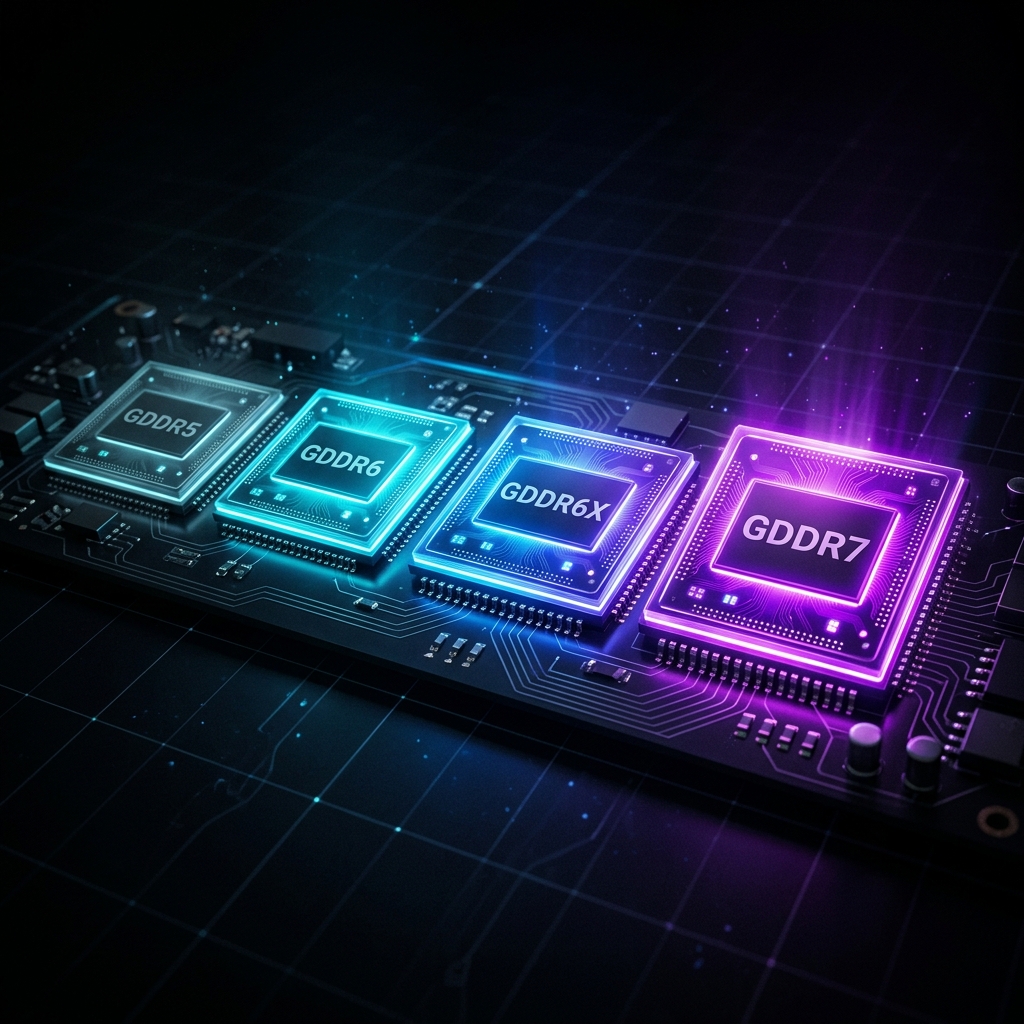
GDDR5 vs GDDR6 vs GDDR6X vs GDDR7: Which VRAM Generation Actually Matters for Your GPU?
GPU PRIX Editorial • 2026-07-25 • Last updated: 2026-07-25
Does VRAM Type Actually Matter?
You're comparing two GPUs. Both have 8GB of VRAM. One says GDDR6. The other says GDDR6X. The specs look nearly identical, but one costs noticeably more. Does it matter? Should you pay the premium?
Or you're hunting the used market and spot a great deal on a last-gen card with GDDR5 — is that memory type going to bottleneck you?
These are the exact questions that spec sheets answer poorly, and hardware forums answer even worse. So let's do it properly: start with what GDDR memory actually does, then walk through each generation's real-world implications, and finish with a clear decision framework tied to your actual use case.
TL;DR — At a Glance
- GDDR5: Legacy. Bandwidth-constrained by today's standards. Only relevant in the deep-budget or old used-market tier.
- GDDR6: The mature workhorse powering most 2021–2024 mid-range cards. More than enough for 1080p and 1440p gaming, 8B–14B local LLMs, and casual creative work.
- GDDR6X: A targeted high-performance upgrade — higher bandwidth and power draw, deployed on NVIDIA's former enthusiast tier (RTX 3080/3090/4080/4090). Meaningful for bandwidth-hungry 4K and heavy AI workloads.
- GDDR7: The current-generation standard on flagship and upper-mid-range cards. Dramatically higher bandwidth than GDDR6X at lower power — future-proofs your investment through the next GPU cycle.
1. What VRAM Type Actually Does (And Doesn't Do)
Before comparing generations, let's clarify what VRAM type governs — and, crucially, what it doesn't.
Memory bandwidth is the core metric. It measures how quickly the GPU's compute units can read and write data from the framebuffer. Think of it like the width of a highway: more bandwidth = more lanes = more data moving at once.
What memory bandwidth directly affects:
- Rendering at high resolutions (more pixels = more framebuffer data per frame)
- Large texture streaming and detail levels
- AI inference throughput (especially critical for LLMs and Stable Diffusion)
- Video encoding/decoding pipelines with large frame buffers
What memory bandwidth does NOT determine on its own:
- Raw shader/compute performance (that's the GPU cores)
- Frame generation or upscaling quality (DLSS/FSR)
- Thermal limits or overclocking headroom in most scenarios
- How many GB of VRAM you have (capacity is a completely separate question from type)
This distinction matters because a GPU with GDDR6X and 8GB can actually bottleneck on capacity (running out of VRAM) long before it bottlenecks on bandwidth. Conversely, a card with GDDR6 and 16GB can outperform a GDDR6X 8GB card in memory-heavy workloads purely because it doesn't run out of room.
The Golden Rule: VRAM capacity (GB) is usually more important than VRAM type for practical use. But when capacity is equal, type — and the bandwidth it delivers — becomes the tiebreaker.
2. The Spec Deep Dive: Generation by Generation
Here's how the generations stack up on the numbers that actually matter for consumer GPUs.
VRAM Generation Comparison
The four GDDR generations that power today's consumer GPU market — from legacy mainstream to current-gen flagship.
| Spec | GDDR5 | GDDR6 | GDDR6X | GDDR7 |
|---|---|---|---|---|
| Max speed | ~8 Gbps | ~16 Gbps | ~21 Gbps | ~32 Gbps |
| Bus width (typical consumer) | 128–256-bit | 128–256-bit | 320–384-bit | 128–256-bit |
| Typical peak bandwidth | 100–256 GB/s | 192–384 GB/s | 448–760 GB/s | 384–896 GB/s |
| Power efficiency | Baseline | ~30% better than GDDR5 | ~10–15% more than GDDR6 | ~40% better than GDDR6 |
| Consumer GPU era | 2014–2021 (GTX 900–RX 5000) | 2020–present (RTX 3060, RX 6600–9070 XT) | 2020–2024 (RTX 3080/3090/4080/4090) | 2024–present (RTX 5000 series) |
| Found on | GTX 1060, RX 580, RX 5500 | RTX 3060/4060/4060 Ti, RX 6600/7600/7900/9070 | RTX 3080/3090, RTX 4070/4070 Ti, RTX 4080/4090 | RTX 5070/5080/5090 |
All figures represent typical consumer product ranges. Bandwidth scales with both die speed and bus width — a wide bus on slower memory can outrun a narrow bus on fast memory. Real-world figures vary by card and workload.
The table above tells the story in numbers. The chart below makes it unmistakable — notice where the RX 7900 XT (GDDR6) sits relative to the RTX 5070 (GDDR7):
GDDR5 — The Legacy Generation
GDDR5 dominated from roughly 2014 to 2020. Cards like the GTX 1060, RX 580, and RX 5500 XT all ran on GDDR5. In its heyday, 192–256 GB/s of bandwidth was sufficient for 1080p gaming — the dominant resolution at the time.
Where GDDR5 still lives: The deep used market. You can find GTX 1060 3GB/6GB, RX 580 8GB, and RX 570 4GB cards for very little money. In 2026, GDDR5's bandwidth ceiling shows:
- 1080p gaming: Mostly fine for older titles and esports. Demanding modern open-world games or high-refresh play can feel the pinch.
- 1440p+: Genuinely constrained. Bandwidth becomes a bottleneck before raw shader power does.
- AI / LLMs: Workable for very small quantized models. Anything 7B+ at reasonable speeds needs GDDR6's headroom.
- Creative: 4K video on a GDDR5 card is sluggish in GPU-accelerated workflows.
Verdict: GDDR5 is a "get the job done" solution for tight budgets running 1080p in 2026. If the card has 8GB+ of it (RX 580 8GB), it remains usable — the capacity cushion matters more than the type at that tier.
GDDR6 — The Workhorse Generation
GDDR6 was the inflection point. When NVIDIA's RTX 3060 and AMD's RX 6600 launched with GDDR6, the mainstream memory baseline essentially doubled versus GDDR5 in bandwidth terms.
The key spec jump: from ~256 GB/s on mid-range GDDR5 cards to ~288–384 GB/s on GDDR6 equivalents. That extra headroom doesn't always translate to visible FPS gains (GPU compute often limits first at 1080p), but it pays dividends at higher resolutions and in memory-intensive workloads.
Where GDDR6 lives today: This is by far the most common VRAM type in the consumer market. If you're buying a mid-range card — RTX 4060, RTX 4060 Ti, RX 7600, RX 7900 XT — you're getting GDDR6.
- 1080p / 1440p gaming: Excellent. GDDR6's bandwidth outpaces the GPU compute on most mid-range cards, meaning memory is rarely the bottleneck.
- 4K gaming: Adequate on cards with wide buses (256-bit). On narrower 128-bit cards, you may see VRAM-bandwidth limits with ray tracing or high-texture settings enabled.
- AI / LLMs: The sweet spot for 8B–30B models at 4-bit quantization. Sufficient for Stable Diffusion XL. Comfortable everyday inference.
- Creative (1440p/4K editing): Works well. The bottleneck is usually VRAM capacity, not bandwidth type.
Verdict: GDDR6 is the right choice for the vast majority of buyers in 2026. It's mature, power-efficient, and outright good enough for 99% of gaming and creative workloads in the mid-range.
GDDR6X — The High-Performance Outlier
GDDR6X is Micron's proprietary variant, used exclusively on select NVIDIA cards. It achieves higher speeds than standard GDDR6 by using PAM4 (Pulse Amplitude Modulation-4) signaling — transmitting two bits per signal transition instead of one.
The catch: PAM4 is electrically noisier and harder to deal with thermally. GDDR6X modules run meaningfully hotter and require more robust cooling and power delivery. This is why it only appeared on NVIDIA's enthusiast-tier cards (RTX 3080, 3090, 4080, 4090) and not on their mainstream lineup.
The bandwidth payoff is real: the RTX 4090's GDDR6X delivers 1,008 GB/s — more than a terabyte per second across its 384-bit bus. That's a generational leap over what even the best GDDR6 mainstream card can offer.
- 4K gaming with ray tracing: Where GDDR6X earns its keep. Highly detailed scenes at 4K with RT enabled are noticeably smoother on GDDR6X cards than comparable GDDR6 alternatives at the same resolution target.
- AI and LLMs: The RTX 3090's 24GB of GDDR6X made it the reigning value king for local LLM inference for years. High bandwidth + high capacity is a powerful combination.
- 1080p / 1440p gaming: Honestly, overkill. GDDR6X's bandwidth advantage is invisible here — the GPU compute is the limit, not memory bandwidth.
Verdict: GDDR6X matters for 4K+ enthusiast builds and serious AI workloads. It's a genuine step up from GDDR6 in the right context — but that context is narrower than marketing suggests. For 1440p gaming? The extra bandwidth won't move your FPS counter.
GDDR7 — The Current Generation
GDDR7 is the memory architecture powering NVIDIA's Blackwell generation (RTX 5000 series). It's the biggest inter-generation leap since GDDR5→GDDR6. Notably, AMD's RDNA 4 cards (RX 9000 series) still use GDDR6 — albeit on wide buses that deliver strong bandwidth — so GDDR7 remains exclusive to NVIDIA in the current consumer market.
The headline spec: GDDR7 tops out at ~32 Gbps per pin — roughly 50% faster than GDDR6X at peak, and nearly 2× faster than GDDR6. The efficiency story is equally compelling: despite running faster, GDDR7 consumes significantly less power per GB/s transferred compared to GDDR6X. That's why it's viable not just on flagship cards but on mid-range products like the RTX 5070.
The practical impact:
- The RTX 5090 achieves 1,792 GB/s of bandwidth on a 512-bit bus — unprecedented for a consumer GPU.
- The RTX 5070 achieves 672 GB/s on a 192-bit bus — roughly matching what the RTX 4090 (the previous-gen enthusiast flagship) delivered.
- GDDR7 on mid-range is genuinely transformative. A $400–$600 card in 2026 has more memory bandwidth than 2022's $1,600 flagship.
Where GDDR7 shines:
- 4K gaming: No longer a bandwidth-constrained experience on even mid-tier cards.
- AI and large LLMs: Higher bandwidth directly translates to faster token generation. 32B+ models on a single consumer GPU with GDDR7 reach speeds that previously required GDDR6X workstation hardware.
- Multi-monitor / high-refresh 4K: The added throughput finally eliminates the memory bandwidth ceiling for extreme display setups.
Verdict: GDDR7 is a meaningful upgrade over GDDR6X and a substantial one over GDDR6. If you're buying a new GPU in 2026, preferring a GDDR7 card over a same-price GDDR6 alternative (new or used) is almost always the right call for longevity.
3. The Buying Decision: Match VRAM Type to Your Use Case
Stop comparing specs in the abstract. Here's the framework that maps memory generation to what you're actually trying to do.
Not sure which row applies to you? Answer three quick questions:
Use Case Matrix: What Actually Matters for You
| Use Case | Min. Recommended | Sweet Spot | Notes |
|---|---|---|---|
| Esports / 1080p | GDDR6, 8GB | GDDR6, 8–12GB | Bandwidth rarely limits. Capacity headroom matters more. |
| 1440p AAA gaming | GDDR6, 12GB | GDDR6, 16GB | 192–256-bit bus is important. GDDR6X is bonus, not required. |
| 4K gaming | GDDR6X, 16GB | GDDR7, 16GB | Bandwidth ceiling becomes real. Bus width critical. |
| Stable Diffusion / AI art | GDDR6, 8GB | GDDR6, 12–16GB | VRAM capacity almost always limits before bandwidth. |
| Local LLMs (7B–14B) | GDDR6, 8GB | GDDR6, 12–16GB | Bandwidth helps speed; capacity determines which models fit. |
| Local LLMs (30B–70B) | GDDR6X, 24GB | GDDR7, 24GB+ | High bandwidth + high capacity both essential. |
| 4K video editing | GDDR6, 12GB | GDDR7, 16GB | Encoding pipelines are bandwidth-sensitive. |
| 3D rendering / ray tracing | GDDR6, 16GB | GDDR7, 24GB | Scene data volume grows fast. Bandwidth matters a lot. |
4. The "Same Price, Different Type" Decision
The scenario you'll actually face most often: two cards at roughly the same price, one with GDDR6 and more VRAM, the other with GDDR6X (or GDDR7) and less VRAM. Which do you take?
Example 1: RTX 4060 Ti 8GB (GDDR6) vs RTX 3080 10GB (GDDR6X)
The RTX 3080's GDDR6X gives it 320 GB/s more bandwidth than the 4060 Ti. But the 3080 has less VRAM capacity (10GB vs 8GB — effectively even). The 4060 Ti has a newer, more efficient Lovelace architecture that's better for DLSS 3.
For 1440p gaming: The 4060 Ti's DLSS 3 Frame Generation gives it a practical advantage despite the bandwidth gap. For AI/LLMs: The 3080 10GB's extra bandwidth helps — but 10GB is tight. The used RTX 3090 24GB (also GDDR6X) is the better pick if AI is your priority.
Example 2: RTX 4060 Ti 16GB (GDDR6) vs RTX 4070 12GB (GDDR6X)
This is the cleanest illustration of capacity versus type in the current lineup, because the two cards land on opposite sides of both.
The 4060 Ti 16GB gives you the larger pool, but on a 128-bit bus — around 288 GB/s. The 4070 has 4GB less, but pairs GDDR6X with a 192-bit bus for roughly 504 GB/s, a little under twice the throughput.
For VRAM-heavy workflows (larger local models, heavy AI art, 4K editing with big cached assets), the 4060 Ti's 16GB wins whenever the job simply does not fit in 12GB. Capacity is a cliff: you are either over it or you are not.
For gaming, the 4070 wins clearly — more shader throughput and nearly double the bandwidth. The 4060 Ti 16GB's extra capacity does almost nothing at 1440p, because the bottleneck there is not the size of the pool.
The lesson: don't assume the more expensive card has the superior memory type. Always verify — and always compare capacity alongside type.
Example 3: RTX 5070 (GDDR7) vs RTX 4090 (GDDR6X) — Used market
Used RTX 4090 24GB cards appear in the $700–$900 range. The RTX 5070 launches at ~$600 with 12GB of GDDR7.
Bandwidth: The 5070 has ~672 GB/s. The 4090 has ~1,008 GB/s. The 4090 wins on bandwidth. Capacity: The 4090 wins decisively at 24GB vs 12GB. Efficiency and drivers: The 5070 is newer architecture, runs cooler, and benefits from Multi Frame Generation.
Verdict for LLMs: Take the 4090 — 24GB capacity is irreplaceable for larger models. Verdict for gaming: Take the 5070 — modern architecture + DLSS 4 + better power efficiency outweigh raw bandwidth in gaming contexts.
5. The Bus Width Factor (Often Overlooked)
VRAM type is only half the equation. The memory bus width determines how many lanes data travels across simultaneously. A narrower bus can throttle even fast GDDR7.
- 128-bit bus: Common on budget cards (RTX 4060, RTX 4060 Ti). Even GDDR6 or GDDR7 here has ceiling limitations at 4K+.
- 192-bit bus: Mid-range sweet spot (RTX 5070, RX 7700 XT). Comfortable for 4K in most scenarios.
- 256-bit bus: Solid high-end floor (RTX 4080 SUPER, RX 9070 XT). 4K with RT works well here.
- 320-bit+: Enthusiast territory (RTX 5080, RTX 5090's 512-bit). Sky-high bandwidth for any workload.
This is why a RTX 4060 (128-bit GDDR6) at 272 GB/s can feel bandwidth-limited at 4K, while a RX 7900 XT (320-bit GDDR6) at 800 GB/s does not. The type is the same — the bus width makes all the difference.
Rule of thumb: For 4K+ gaming or bandwidth-intensive AI workloads, prioritize a 256-bit or wider bus over chasing a higher memory type on a narrower bus.
The Takeaway
VRAM type is a real differentiator — but it's not the whole story, and it's rarely the first thing you should optimize for.
Start with capacity (GB): can the card hold your workloads? Then consider bus width: is the highway wide enough for 4K or AI at scale? Only then does the memory type become the tiebreaker that separates cards with otherwise equal specs.
For 2026 buyers:
- Casual / 1080p–1440p gaming: GDDR6 is more than enough. Spend your budget on core count and capacity, not chasing GDDR6X.
- 4K gaming or content creation: GDDR7 cards are now accessible at upper-mid prices. The RTX 5070 and RTX 5080 represent genuine value here — and don't overlook AMD's wide-bus GDDR6 cards like the RX 9070 XT, which trade blows on bandwidth despite using GDDR6.
- AI and local LLMs: Prioritize VRAM capacity first, always. Then prefer GDDR6X 24GB (used RTX 3090/4090) or GDDR7 16GB+ (RTX 5080) for the best throughput.
The best GPU isn't the one with the fastest-labeled memory type — it's the one whose specs align with your actual workload at your actual budget.
Shop by VRAM Generation: Live Prices
Compare current deals across the key cards that represent each VRAM generation tier.
GeForce RTX 4060
8GB GDDR6
View DetailsRadeon RX 7900 XT
20GB GDDR6
View DetailsGeForce RTX 3090
24GB GDDR6X
View Details
GeForce RTX 4090
24GB GDDR6X
View DetailsGeForce RTX 5070
12GB GDDR7
View DetailsGeForce RTX 5090
32GB GDDR7
View DetailsFrequently Asked Questions
What is the difference between GDDR6 and GDDR6X?
Is GDDR7 worth paying extra for?
Does VRAM type affect FPS at 1080p?
Is GDDR5 still good in 2026?
Which VRAM type is best for running local LLMs?
Does bus width matter more than VRAM type?
RTX 4090 GDDR6X vs RTX 5070 GDDR7 — which is better for AI?
Deep Dive